Photomath

  • 4.9 RATINGS
  • 770M DOWNLOADS
  • 4+ AGE
  • Name
    Photomath
  • Category
    Education
  • Price
    Free
  • Safety
    100% Safe
  • Developer
    Photomath, Inc.
  • Version
    8.18.0

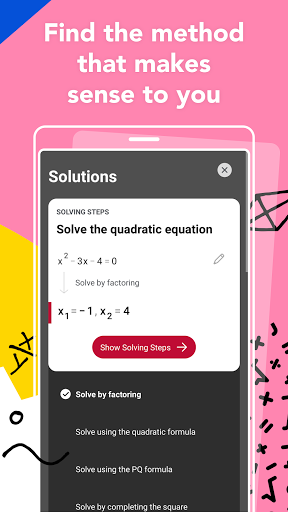
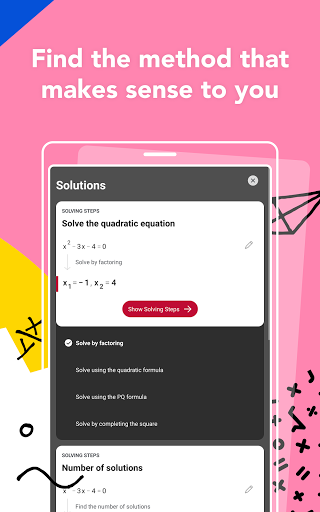
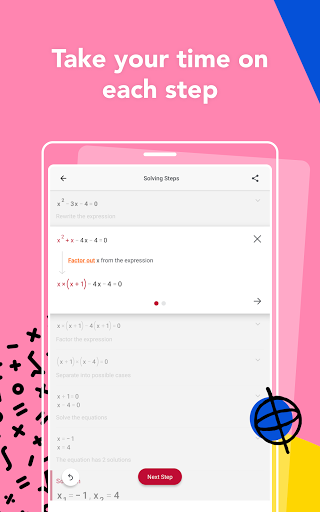
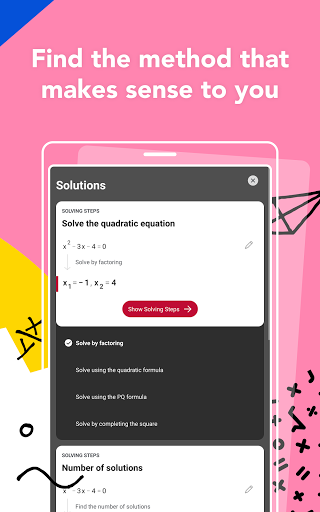
Photomath enables users to scan mathematical equations with smartphone camera for instant results. But a quick answer isn't all you can get from this free app, Photomath also provides a step-by-step procedure showing how each of the math problems is solved.

Created by a team called Microblink, a text recognition technology company, Photomath comes to Android after a big success in the App Store. Solving a math equation with a smart device is nothing new, but the scan feature really is a massive innovation given that users have to input the equations manually before.

Features

  • Camera Calculator - Just point your device's camera to the math problem, then you will get the answer.
  • Smart Calculator - The app has a smart calculator with many mathematical symbols which will make your typing faster and easier.
  • Handwriting recognition - Apart from scanning and typing, the app also supports handwriting math equations.
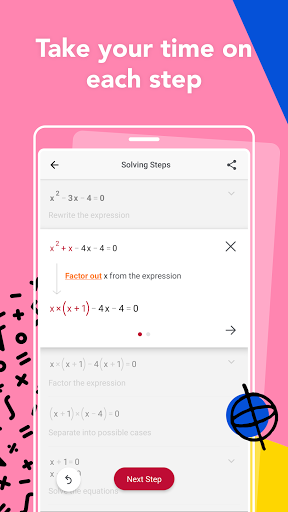
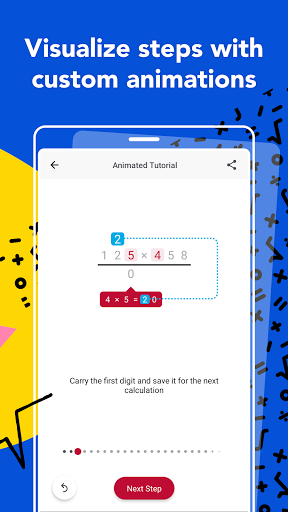
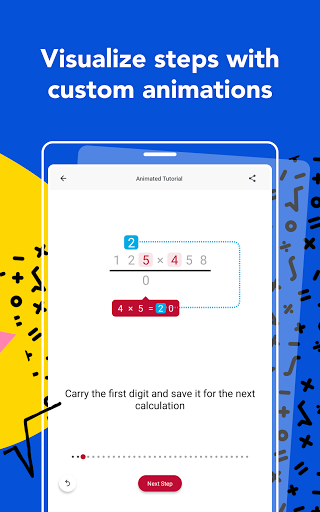
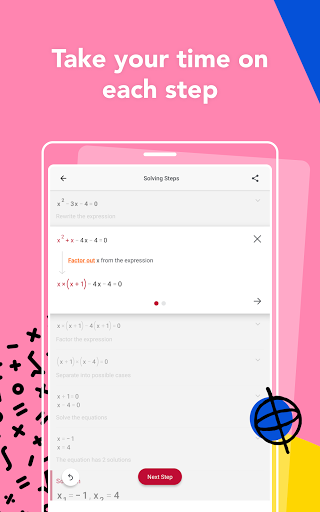
  • Step-by-step instructions - Bearing in mind the principle of "teaching one to fish is better than giving him fish", Photomath provides not only answers but also step-by-step guidance to help you learn efficiently.
  • Colorful explanations - Photomath has a nice design with various colors indicating different sections.
  • Extra math knowledge - The app also provides some extra math knowledge so that you can study at odd moments.

FAQs

How to scan?

Place the math equation inside the frame while holding the phone or iPad camera directly above, you will automatically get the result in about 2 seconds. If the result is not shown after several seconds, then you can try to scan it under a better light condition or clean the camera. After that, if there's still no answer, then the math problem is not supported by the app.

How to resize the scanner?

You can pinch the rectangle with two fingers and drag in any direction to adjust the size and shape of the frame.

How to view the steps?

To view the steps, you can tap the arrow button or swipe up and down.

How to edit the scanned problem?

If the math problem you scan needs some corrections, just tap the editor icon on the white line, then you may edit it manually.

Download

Related Apps

  • WordBit German (for English speakers)

    WordBit German (for English speakers)

    Education
    4.6
    GET
  • Starfall FREE

    Starfall FREE

    Education
    4.9
    GET
  • Pet Quiz Star

    Pet Quiz Star

    Education
    4.4
    GET
  • Seesaw

    Seesaw

    Education
    4.9
    GET
  • SEBA Spoken English

    SEBA Spoken English

    Education
    4.3
    GET
  • SkySafari

    SkySafari

    Education
    4.4
    GET
  • Bolo

    Bolo

    Education
    4.2
    GET
  • Algemator

    Algemator

    Education
    4.4
    GET

Top Downloads

  • super.money

    super.money

    Finance
    4.8
    GET
  • StreamEast

    StreamEast

    Sport
    4.5
    GET
  • Cowboy!

    Cowboy!

    Casual
    4.2
    GET
  • Dumb Ways To Draw

    Dumb Ways To Draw

    Casual
    4.9
    GET
  • Pou

    Pou

    Casual
    4.6
    GET
  • PewDiePie's Tuber Simulator

    PewDiePie's Tuber Simulator

    Casual
    4.9
    GET
  • Bricks n Balls

    Bricks n Balls

    Casual
    4.1
    GET
  • The Great Yokai War

    The Great Yokai War

    Casual
    4.2
    GET
  • Skip work! 

    Skip work! 

    Casual
    4.1
    GET
  • Home Memories

    Home Memories

    Casual
    4.3
    GET
  • Flying face

    Flying face

    Casual
    4.5
    GET
  • Toy Brick Crush

    Toy Brick Crush

    Casual
    4.3
    GET