Microsoft Word

  • 4.1 RATINGS
  • 330M DOWNLOADS
  • 4+ AGE
  • Name
    Microsoft Word
  • Category
    Productivity
  • Price
    Free
  • Safety
    100% Safe
  • Developer
    Microsoft Corporation
  • Version
    16.0.19127.20134

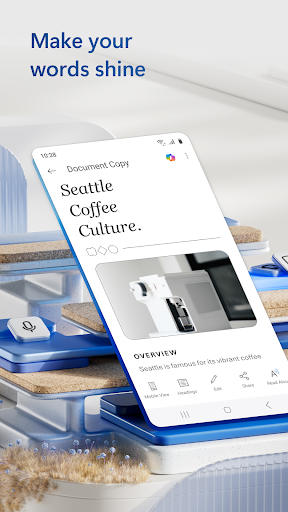
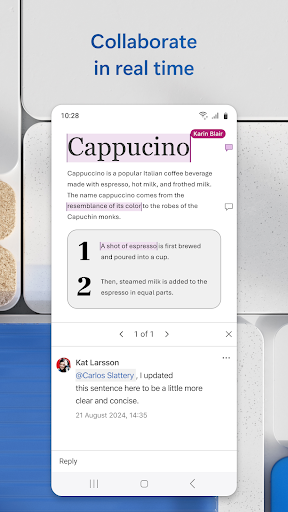
Microsoft Word is one of the most widely used word processing applications, designed to help users create, edit, and share documents with ease. Whether you are writing essays, preparing reports, or managing professional files, Word provides powerful tools for high-quality document creation. The app supports multiple formats, making collaboration simple and efficient, while cloud integration ensures your work is always accessible across devices. With its user-friendly interface and intelligent features, Microsoft Word is suitable for students, professionals, and everyday users alike.

Latest Update: New cloud saving and inking features in Microsoft Word

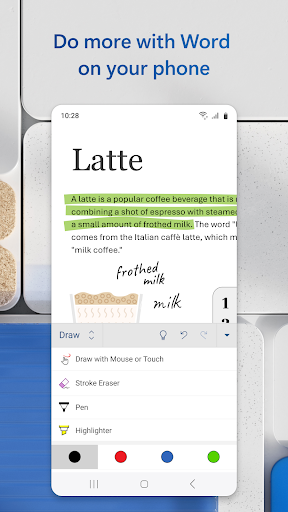
Microsoft Word has introduced automatic cloud saving for new documents on Windows, meaning files are now saved to OneDrive by default with a date-based filename. This update ensures AutoSave works immediately, reducing the risk of losing progress and improving cross-device accessibility. In addition, Word’s “Draw” tab now includes OneNote’s popular fountain pen and brush pen tools, bringing more natural, pressure-sensitive handwriting and annotation options. Users are encouraged to try the new tools for improved document editing and to enable cloud sync for safer storage. To get these features, make sure Word is updated through Microsoft 365, and consider turning on automatic updates to always stay current.

Pros

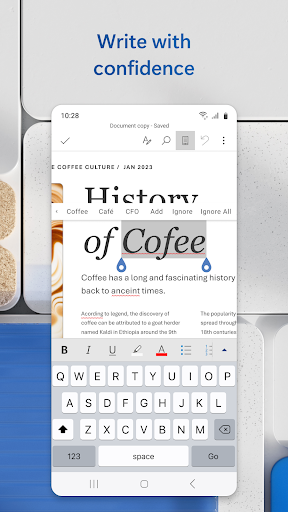
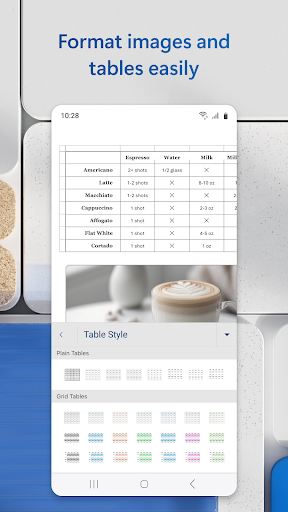
  • Comprehensive features for text editing, formatting, and inserting images or tables.
  • Seamless integration with Microsoft services like OneDrive and SharePoint for collaboration.
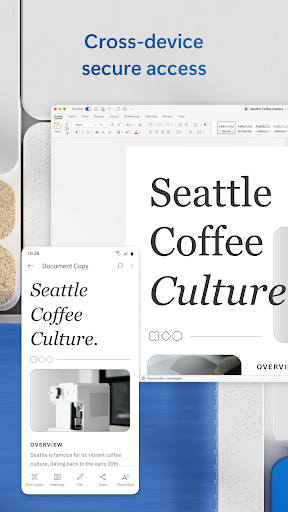
  • Cross-platform support with document syncing across mobile, tablet, and desktop.

Cons

  • Some advanced features require a Microsoft 365 subscription.
  • May run slower on devices with lower performance.
  • Large files can take longer to load and save.

Is Microsoft Word free to use?

A: The mobile version of Microsoft Word offers basic features for free, but advanced tools such as premium formatting and collaboration options require a Microsoft 365 subscription.

What’s the difference between the mobile and desktop versions of Word?

The mobile version is designed for quick edits and on-the-go access, while the desktop version provides more advanced formatting, add-ins, and full professional features.

Download

Related Apps

  • Content Transfer

    Content Transfer

    Productivity
    4.7
    GET
  • QR & Barcode Scanner

    QR & Barcode Scanner

    Productivity
    4.6
    GET
  • Ever - Free Photo Storage

    Ever - Free Photo Storage

    Productivity
    4.2
    GET
  • Echo

    Echo

    Productivity
    4.4
    GET
  • ChatAi GDT

    ChatAi GDT

    Productivity
    4.7
    GET
  • Alarm Clock for Me

    Alarm Clock for Me

    Productivity
    4.7
    GET
  • Password Manager for Google Ac

    Password Manager for Google Ac

    Productivity
    4.9
    GET
  • Send Anywhere (File Transfer)

    Send Anywhere (File Transfer)

    Productivity
    4.1
    GET

Top Downloads

  • Bottle Flip 3D

    Bottle Flip 3D

    Casual
    4.4
    GET
  • Oppa doll

    Oppa doll

    Casual
    4.6
    GET
  • Cowboy!

    Cowboy!

    Casual
    4.2
    GET
  • Pou

    Pou

    Casual
    4.6
    GET
  • Hello Kitty Nail Salon

    Hello Kitty Nail Salon

    Casual
    4.5
    GET
  • My Talking Tom

    My Talking Tom

    Casual
    4.9
    GET
  • Dumb Ways to Die

    Dumb Ways to Die

    Casual
    4.1
    GET
  • TOGGO Spiele

    TOGGO Spiele

    Casual
    4.4
    GET
  • Prank God Escape

    Prank God Escape

    Casual
    4.8
    GET
  • Home Memories

    Home Memories

    Casual
    4.3
    GET
  • Monopoly GO!

    Monopoly GO!

    Casual
    4.7
    GET
  • Challenge your friends

    Challenge your friends

    Casual
    4.2
    GET