Ключевые функции:
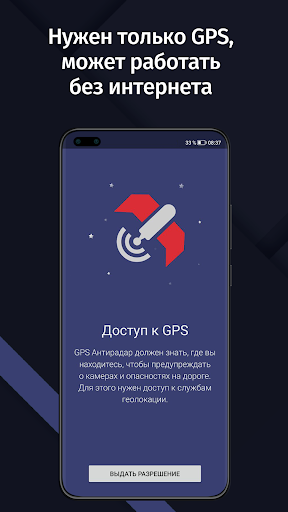
- GPS АнтиРадар работает как радар-детектор и предупреждает Вас о стационарных камерах и радарах ДПС на Вашем пути.
- Еженедельные бесплатные обновления базы!
- Приложение не содержит рекламы!
- Удобный, простой и полностью русифицированный интерфейс.
- Работа в бекграунде. Можно запускать Яндекс или Гугл карты, навигацию или любые другие программы, которые Вы хотите. О приближении к камере сообщат приятным женским голосом.
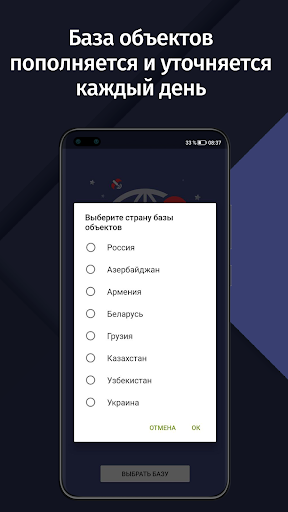
- База покрывает все регионы России.
- Незаменимый помощник в пути!
Если при приближении к камере ваша скорость будет выше разрешенной более чем на 19 км/ч, то приложение будет подавать предупреждающие звуки. А это важно, т.к. теперь штраф за превышение на >20 км/ч уже начинается с 500 рублей.
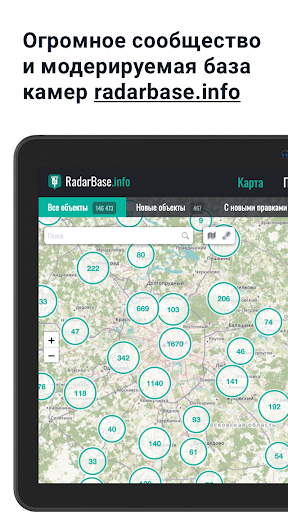
Карта с камерами в нашей базе - http://map.gpsantiradar.info/
Наша группа ВКонтакте - vk.com/smartdriver.blog
Официальная страница Facebook - https://www.facebook.com/Antiradar
Здесь вы можете оставить свои пожелания, комментарии, информацию о недостающих камерах и т.д.
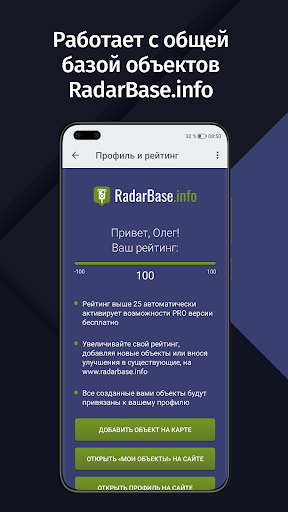
Приложение работает с помощью известных данных о расположении стационарных камер и радаров ДПС (такие как Стрелка или Старт СТ) и других объектов. В PREMIUM версии есть возможность добавить недостающие камеры вручную и синхронизация их между пользователями! Вам не нужно ждать пока мы добавим камеры, она пополняется просто и удобно самими пользователями!
Внимание! GPS АнтиРадар - это ваш помощник, но не гарант отсутствия штрафов, т.к. новые камеры могут не сразу попадать в базу данных. Пожалуйста, соблюдайте правила дорожного движения. Настоящий радар-детектор, конечно, работает надежнее, но это приложение бесплатно!
---
Работа GPS зависит от многих факторов, в том числе погоды. Многие программы, например навигации, используют кроме GPS, GSM триангуляцию по сотовым вышкам (мы ее не используем в виду большой погрешности).
- Выйдите на открытое пространство. GPS сигнал не будет найден в квартире или другом закрытом помещении.
- Убедитесь, что модуль GPS включен. При включении GPS АнтиРадар в панели событий Android должно появиться системное уведомление о работе GPS.
- Попробуйте выключить и заново включить GPS модуль.
- Убедитесь, что громкость всех типов уведомлений установлена на максимум. Найти эту настройку можно по следующему пути: откройте стандартные настройки Android -> Звук -> Громкость.
- Убедитесь, что в GPS АнтиРадар не установлен чекбокс "только скорость". Это позволит воспроизводить звук не нарушая ПДД.
- Проверьте работу проехав рядом с камерой. Как только на экране появляется тип камеры и скорость ограничения этой камеры должен прозвучать звуковой сигнал.
- При подключении устройства к магнитоле автомобиля с помощью Bluetooth, убедитесь, что другие приложения могу воспроизводить звуковые уведомления.
– Xiaomi: http://airbits.ru/background/xiaomi.htm
– Meizu: http://airbits.ru/background/meizu.htm
– Huawei: http://airbits.ru/background/huawei.htm
– Общее для всех устройств: http://airbits.ru/background/background.htm
If you’re an Android user and don’t download the app from the official Google Play Store, you may find the installation process more complicated than usual.
But we are delighted to inform you that you don’t need to worry. To ensure you could install this app smoothly, we have written and uploaded a detailed tutorial. It would guide you on installing an app after downloading it from our website step by step, with the help of pictures.
You may find this helpful article on the downloading site, or visit How to install APK/XAPK files on Android.
If you need further help, please do not hesitate to contact us via email [email protected].
We fully understand your concern about safety. We agree that one person wouldn’t be too careful in the cyber world. Meanwhile, we are happy to tell you that one of our priorities is to provide our users with safe app files that they can use without any worries.
We guarantee that all the app files we provided originate from official and reliable sources. We promise that they do not contain any malware that will harm your hardware or the safety of your privacy.
We are glad to let you know that the vast majority of apps on our website are available for free download. Only a small selection of apps require payment, and their prices are set solely by the respective developers—we simply provide an official and secure download platform.
Rest assured, whether an app is free or paid, every download link on our site is verified and completely safe. You can download with confidence, and no account registration is needed—just click the download button and you're all set!
Recently we received a lot of emails from our users, which said they couldn't log in for different reasons, such as "forgot the user name or password" or "had a new phone." We are willing to help you out. Please read the notes below to see what we can do.
To answer this question, please first let us know which account you’re referring to.
If you're referring to your account of some app, like your Facebook account or your Youtube account. Unfortunately, we would not be able to help in this case. We would suggest you turn to the customer service of this application.
If you’re referring to your Appurse account, we should apologize for your confusion since there is no Appurse account. We never require registration for our service, and you will not find any procedure related to creating an account or registering on our website.
This question is essentially quite similar to the prior one. It’s a pity that we are unable to help you to cancel the subscription to a third-party application directly, while we would suggest you to contact its customer service for further information.
Sorry that we are unable to help you to get a refund from a third-party application directly. If you wish to get a refund from a third-party app, we would suggest you to contact its customer service. We would be happy to provide you the way to contact them.
If you want a refund from us, we should apologize for your confusion. Our service is 100% free, and any payment information is not required.
If you run into any site that asks you to provide your payment information, be careful. Remember never reveal your payment information to any unauthorized third parties, no matter how attempting their offer may seem.
Sorry that we cannot answer this question directly, for this only aims to answer some general questions. You may find how to use a certain app by checking our review page.